
Choose VoIP desk phones around the calls your employees handle: physical controls for routine conversations, a larger display for frequent transfers, and built-in wireless connectivity where desk placement demands it. Our buying recommendation is to upgrade the stations that need those features rather than equip every employee identically.
For an everyday wired workstation, start with the Yealink SIP-T44U. Shortlist the Yealink SIP-T54W when built-in Wi-Fi and Bluetooth matter, or the Yealink SIP-T57W when a large touchscreen suits the operator. These recommendations follow their different screen and connection options.
Six models matched to real call-handling jobs
Carolina Digital Phone provides hosted business phone service with mobile access to a business number, so buying a desk phone can be part of a broader plan for employees who also work away from their desks (small business phone service).
The shortlist below compares hardware, not six phone-service subscriptions. Treat the workday column as a starting point for a hands-on trial. Hardware purchase prices are current-price statuses as of October 12, 2026; no confirmed dollar amounts are shown for these models.
| Model | Workday | Hardware |
|---|---|---|
| Yealink SIP-T44U | Routine wired calls | USB; wireless accessories |
| Yealink SIP-T54W | Wireless office desks | Adjustable display; Wi-Fi; Bluetooth |
| Yealink SIP-T57W | Touchscreen reception stations | Touchscreen; expansion support |
| Poly Edge E220 | Compact Bluetooth stations | Color display; Bluetooth |
| Poly Edge E350 | Wireless transfer stations | Eight keys; Wi-Fi |
| Poly Edge E450 | Button-focused reception stations | Two displays; fourteen keys |
Pay for wireless connections where the desk needs them
The Yealink SIP-T44U offers a 2.8-inch color screen, dual USB ports, USB headset support, and expansion-module support. Wi-Fi and Bluetooth are available through specified accessories. That makes it a sensible starting point for a wired station using a USB headset; include the required accessory when comparing a wireless installation.
The Yealink SIP-T54W combines an adjustable 4.3-inch color display with built-in Wi-Fi and Bluetooth. It is the more direct choice when a desk needs wireless networking and the employee prefers physical controls beside the screen. The upgrade earns its place through the connections and viewing angle the employee will actually use.
The Poly Edge E220 supports Bluetooth, while the Poly Edge E350 and Poly Edge E450 support both Bluetooth and Wi-Fi. For this shortlist, that distinction separates a compact Bluetooth-pairing station from a workstation that also needs wireless network access (Poly wireless connection guide).
Before ordering, mark which desks have usable network connections and which require wireless access. Then ask each employee whether they use a handset, speakerphone, or headset most often. Do not buy Bluetooth simply because the specification sounds useful: bring the intended headset to the trial and test answering, ending, and muting calls.
Choose the transfer workflow before the screen size
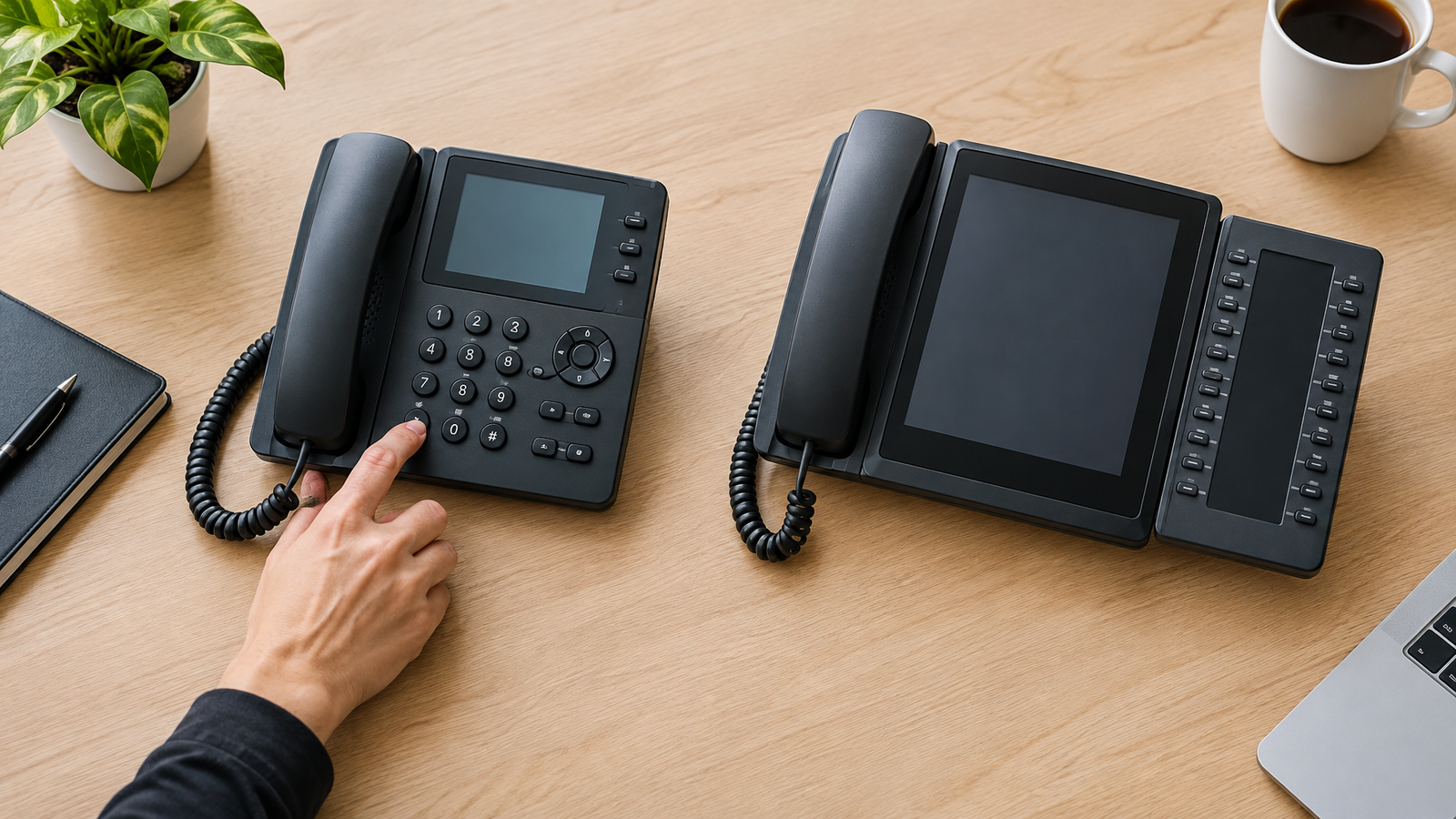
The Yealink SIP-T57W provides an adjustable 7-inch touchscreen and supports up to three EXP50 expansion modules. Choose it when an operator benefits from touch navigation or needs an expandable contact-button layout. A larger screen is a reason to test the transfer workflow, not proof that every receptionist will prefer it.
The Poly Edge E350 supplies a 3.5-inch display and eight line keys. The Poly Edge E450 combines a 3.5-inch main display with a second display and fourteen line keys. The former suits an employee selecting among a smaller set of visible buttons; the latter deserves a trial when reception needs more destinations in view.
Give the busiest operator a concrete demonstration: answer a call, consult a colleague, complete a transfer, return to a held caller, and locate a frequently used destination. Ask them to perform the sequence without coaching. Favor the layout that makes their common sequence easier over the one with the longest specification sheet.
Carolina Digital Phone offers phone-system setup and troubleshooting assistance for small businesses. For background on equipment choices before that discussion, explore the business telephone equipment guide; bring your operator's transfer sequence to the conversation.
Make platform approval a condition of the order
HP identifies the Poly Edge E Series as certified for Zoom and Google Voice. That is useful when either platform is a buying requirement, but the order should still specify the exact model and your intended deployment.
Ask your phone-service provider to approve the exact hardware model, firmware, and provisioning method before purchasing. Have the provider demonstrate the features your team needs, including extension monitoring, voicemail access, transfers, and any expansion module. Put those requirements in the quote so the purchase is tied to a working configuration rather than a generic promise of compatibility.
Yealink supports automatic provisioning through model-specific configuration files. This matters when deploying multiple phones because the configuration must match the device, rather than be copied indiscriminately across the shortlist (Yealink provisioning documentation).
For the pilot, use a real workstation and its intended accessories. Make an incoming and outgoing call, test the operator's transfer sequence, and restart the phone to check that the planned configuration returns. Record a pass or fail for each required task before authorizing the remaining units.
Compare the installed cost of the right mix
Request separate quote lines for desk phones, power supplies or network-power equipment, headsets, wireless accessories, expansion modules, installation, and recurring service. Compare the same quantities and inclusions across quotes. Otherwise, a seemingly lower handset price may simply represent a smaller purchase bundle.
The Yealink SIP-T57W supports Power over Ethernet, while its external AC adapter is optional. Specify how each station will receive power instead of assuming every box contains the adapter your installation needs.
Use role counts to build the order: routine calling stations, wireless desks, and high-transfer stations. Give the latter groups the features their tasks justify. Keep the hardware subtotal separate from monthly service, then compare the full installed total for the same deployment.
For a hypothetical 12-station hardware quote, suppose 9 routine-call phones cost $120 each and 3 reception phones cost $240 each. The calculation is 9 × $120 = $1,080, plus 3 × $240 = $720, for a $1,800 handset subtotal. Buying all 12 at $240 would total $2,880, a $1,080 difference. These illustrative amounts are not model prices; add the quoted accessories, installation, and service separately.
Buy the routine-call configuration that passes your pilot, add built-in wireless where placement requires it, and reserve larger control layouts for employees who use them. Discuss the station mix and deployment requirements through the custom pricing request.
Frequently Asked Questions
Can a VoIP desk phone record calls without a separate recorder?
The Yealink SIP-T57W supports USB call recording to a USB flash drive. If recording is a purchase requirement, have your administrator demonstrate the enabled function before deployment.
Does a phone with 16 VoIP accounts support 16 simultaneous business calls?
Do not use account capacity as the order's simultaneous-call requirement. Yealink specifies up to 16 VoIP accounts for the SIP-T54W; ask your service provider to quote and demonstrate the concurrent call capacity your business needs.
Which connection settings should I test on a Wi-Fi desk phone?
For the Poly Edge E350 and Poly Edge E450, test connection to your intended network using its SSID, security type, and authentication requirements. HP's guide includes Wi-Fi enabling and network-selection procedures, with menu availability controlled by the administrator.